Paper that feels alive.
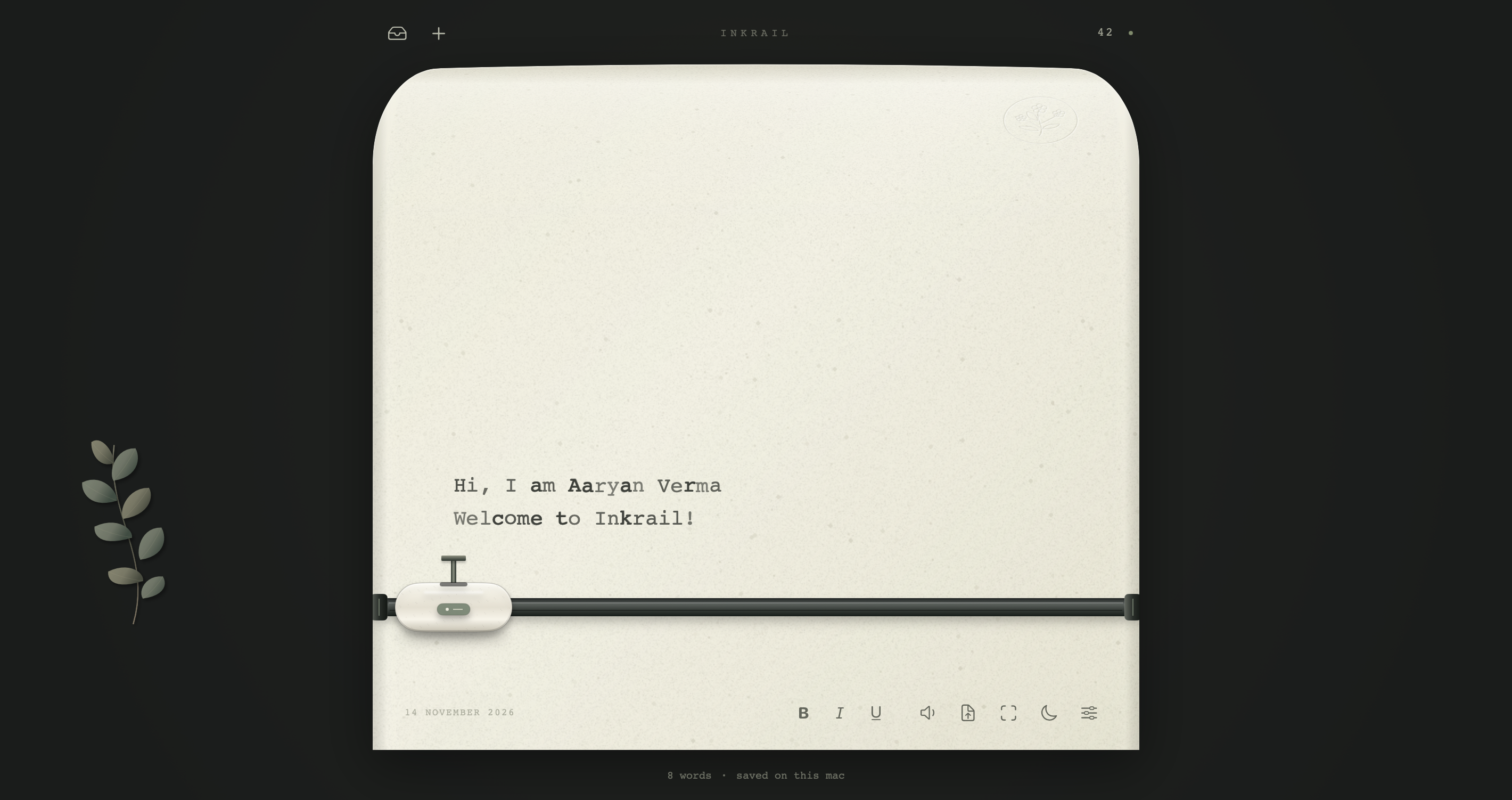
Rich textures, delicate embossing, and a moving typewriter carriage give every line a little character.
A quiet corner of your desktop, made for the words that matter. Beautiful paper, a little typewriter charm, and nothing asking for your attention.
 macOS 13+ · Apple siliconWindows x64Offline writing
A DIFFERENT KIND OF WRITING APP
Inkrail brings the feeling of a familiar writing desk to your screen. A tactile little carriage, thoughtfully textured paper, warm evening light. And when you want it all out of the way, a beautifully simple page.
A FEW LOVELY DETAILS
Thoughtful details for a writing ritual that feels distinctly yours.
Rich textures, delicate embossing, and a moving typewriter carriage give every line a little character.
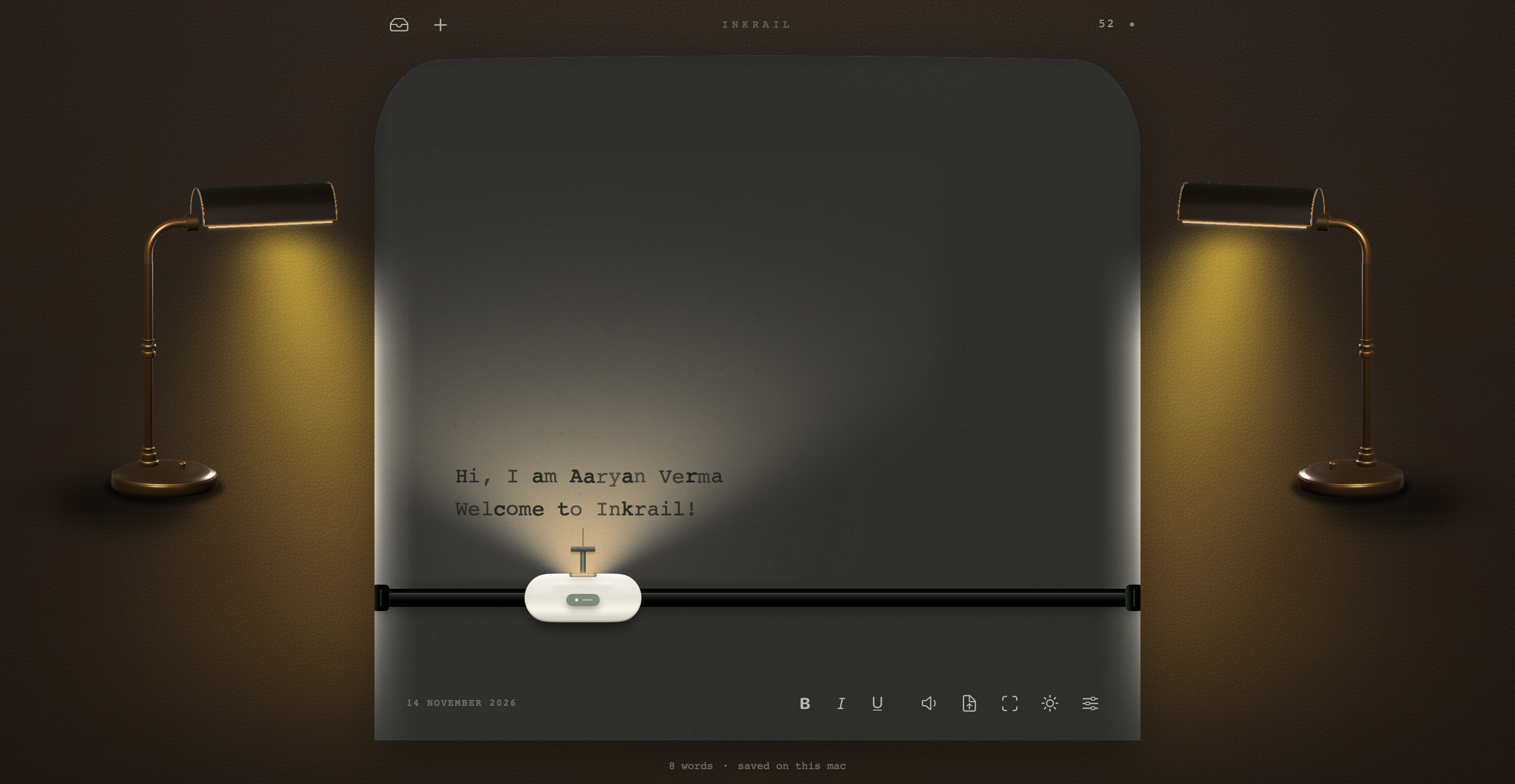
Night writing, adjustable lamp warmth, and cozy desk scenes for when the world gets quiet.
One shortcut clears the desk and gives you a wider, quieter page. Simplicity is always there.
Choose paper, ink, eight typefaces, twelve machine styles, desk finishes, and optional mechanical sounds.
TAKE A CLOSER LOOK
Every image is a real capture of Inkrail on macOS.
SEE IT IN MOTION
The paper moves. The carriage follows. The desk changes with your mood. There's something better about seeing it in motion.
YOUR FIRST FIVE MINUTES
Choose the instructions for your computer, then make the desk your own.
On an Apple silicon Mac running macOS 13 or later, open Inkrail.zip in Finder. Drag Inkrail.app into Applications and open it.
Download for MacOn a 64-bit Intel or AMD PC, download Inkrail-Windows-x64.zip. In File Explorer, choose Extract All, then open Inkrail.exe. Keep the extracted files together. This build is unsigned.
Download for Windows x64Press ⌘ , on Mac or Ctrl+, on Windows to pick your paper, typewriter, desk, ink, and evening light.
Explore shortcutsPress ⌘ N on Mac or Ctrl+N on Windows for a new letter. Inkrail saves automatically. Export as Markdown or plain text whenever you like.
Your words, your filesIf macOS blocks the unnotarized app, Control-click Inkrail.app and choose Open. After an attempted launch, you can also choose Open Anyway in System Settings → Privacy & Security. Mac setup help ↗
The first time you open Inkrail.exe, Microsoft Defender SmartScreen may show Windows protected your PC. If it does, select More info to reveal Run anyway at the bottom of the same dialog. Select it to open Inkrail. Windows normally remembers this choice for that copy.
If Inkrail reports a missing Microsoft Edge WebView2 Evergreen Runtime, install the runtime and open Inkrail.exe again. Get WebView2 from Microsoft ↗
A LITTLE CHEAT SHEET
| Action | Mac | Windows |
|---|---|---|
| New letter | ⌘N | Ctrl+N |
| Open the letter box | ⇧⌘O | Ctrl+Shift+O |
| Make it yours | ⌘, | Ctrl+, |
| Focus Mode | ⇧⌘F | Ctrl+Shift+F |
| Night writing | ⌥⌘L | Ctrl+Alt+L |
| Sound on / off | ⇧⌘M | Ctrl+Shift+M |
| Import text or Markdown | ⌘O | Ctrl+O |
| Export text | ⇧⌘E | Ctrl+Shift+E |
| Save now | ⌘S | Ctrl+S |
| Bold / italic / underline | ⌘B / ⌘I / ⌘U | Ctrl+B / Ctrl+I / Ctrl+U |
PRIVATE BY DESIGN
Inkrail works offline, without an account or subscription. Your letters are saved on your computer, and you can choose where your library lives.
Mac · Writing → Show Local Files
~/Library/Application Support/Inkrail/Windows · Make it yours → Storage → Show in File Explorer
%APPDATA%\Inkrail\LibraryGo to Make it yours → Storage → Change Location and choose a new, empty folder. Keep a separate backup of your library.
To move a letter between Mac and Windows, export it as Markdown (.md) and import it on the other computer. Use plain text (.txt) for a copy of the words. Deleted letters can be restored from Recently Deleted for 30 days.
Inkrail keeps its own local letter files. Export a letter when you want a Markdown copy. Read about storage & recovery ↗
Yes. Inkrail is free on Mac and Windows x64. The Mac source is available under the MIT license. There are no accounts or subscriptions.
The Mac download runs on Apple silicon with macOS 13 Ventura or later. The unsigned Windows x64 app runs on PCs with 64-bit Intel or AMD processors. It works offline once the Microsoft Edge WebView2 Evergreen Runtime is installed.
Mac and Windows keep separate local libraries. For individual letters, export Markdown on one computer and import it on the other. If you choose iCloud Drive as a library location on Mac, iCloud handles folder syncing. Keep a separate backup and use one copy of Inkrail at a time with that library.
Yes. Inkrail supports Markdown-like formatting shortcuts as you type, can import text or Markdown, and lets you export individual letters as Markdown or plain text. Its internal library is not a folder of native .md files.
Of course. Sound is optional, and Focus Mode makes the writing area wider and clears the desk decorations. For Focus Mode, press ⇧ ⌘ F on Mac or Ctrl+Shift+F on Windows. To toggle sound, use ⇧ ⌘ M or Ctrl+Shift+M.
This repository contains the Swift source for the Mac app. To build it, use macOS 13+ and Apple’s Swift 5.9+ developer tools. The Windows x64 app is available as a portable ZIP. See the build instructions on GitHub ↗.
A QUIETER KIND OF CREATIVE SPACE
Make some room for your words. The rest can wait.